

Whenever we have a choice to make for a CI system to use on a project, we pick GitHub Actions, mainly for convenience. Our code is already hosted on GitHub, and it doesn't make sense to introduce other tools unnecessarily, so some time ago we started using GitHub Actions as our CI provider.
Over the years we've been constantly improving our development workflows thereby adding more complexity to our CI. There were many steps in our pipeline for various code checks, Elixir tests, etc., each increasing the time we needed to wait to make sure our code was good to go. So we'd wait 5 to 10 minutes or so just to find out the code wasn't formatted properly, there was some compiler warning or something trivial as that. We knew there were better ways to set up our CI, but we felt separating the workflows into separate jobs was going to make for a harder-to-maintain code because GitHub Actions does not support full YAML syntax.
I came to Elixir from the Ruby on Rails community where YAML is a default for any kind of configuration, so I was excited to see GitHub Actions using YAML for the workflow definitions. I quickly came to realize it's not the same YAML I was used to (You've changed, bro). Specifically, I couldn't use anchors which provide the ability to write reusable code in .yml files.
Script
Our way of working around this is writing workflow definitions in Elixir and translating them to YAML, letting us benefit from the beautiful Elixir syntax in sharing variables, steps, and jobs between workflows while still, as a result, having workflow files in the YAML format GitHub Actions supports.
To convert the workflow definitions from Elixir to YAML, we wrote a CLI script that uses fast_yaml library with a small amount of code wrapping it up in an easy-to-use package. We used this script internally for years, but now we've decided to share it with the community.
Usage
Anyway, here's how you can use this mix task. Add the github_workflows_generator package as a dependency to your mix.exs file:
[elixir]defp deps do
  [
    {:github_workflows_generator, "~> 0.1"}
  ]
end
You most likely don't want to use it in runtime and environments other than dev, so you might find this more appropriate:
[elixir]defp deps do
  [
    {:github_workflows_generator, "~> 0.1", only: :dev, runtime: false}
  ]
end
That will let you execute
[bash]mix github_workflows.generate
command that given a .github/github_workflows.ex file like this one:
[elixir]defmodule GithubWorkflows do
  def get do
    %{
      "main.yml" => main_workflow(),
      "pr.yml" => pr_workflow()
    }
  end
defp main_workflow do
[
[
name: “Main”,
on: [
push: [
branches: [“main”]
]
],
jobs: [
test: test_job(),
deploy: [
name: “Deploy”,
needs: :test,
steps: [
checkout_step(),
[
name: “Deploy”,
run: “make deploy”
]
]
]
]
]
]
end
defp pr_workflow do
[
[
name: “PR”,
on: [
pull_request: [
branches: [“main”]
]
],
jobs: [
test: test_job()
]
]
]
end
defp test_job do
[
name: “Test”,
steps: [
checkout_step(),
[
name: “Run tests”,
run: “make test”
]
]
]
end
defp checkout_step do
[
name: “Checkout”,
uses: “actions/checkout@v4”
]
end
end
creates multiple files in the .github/workflows directory.
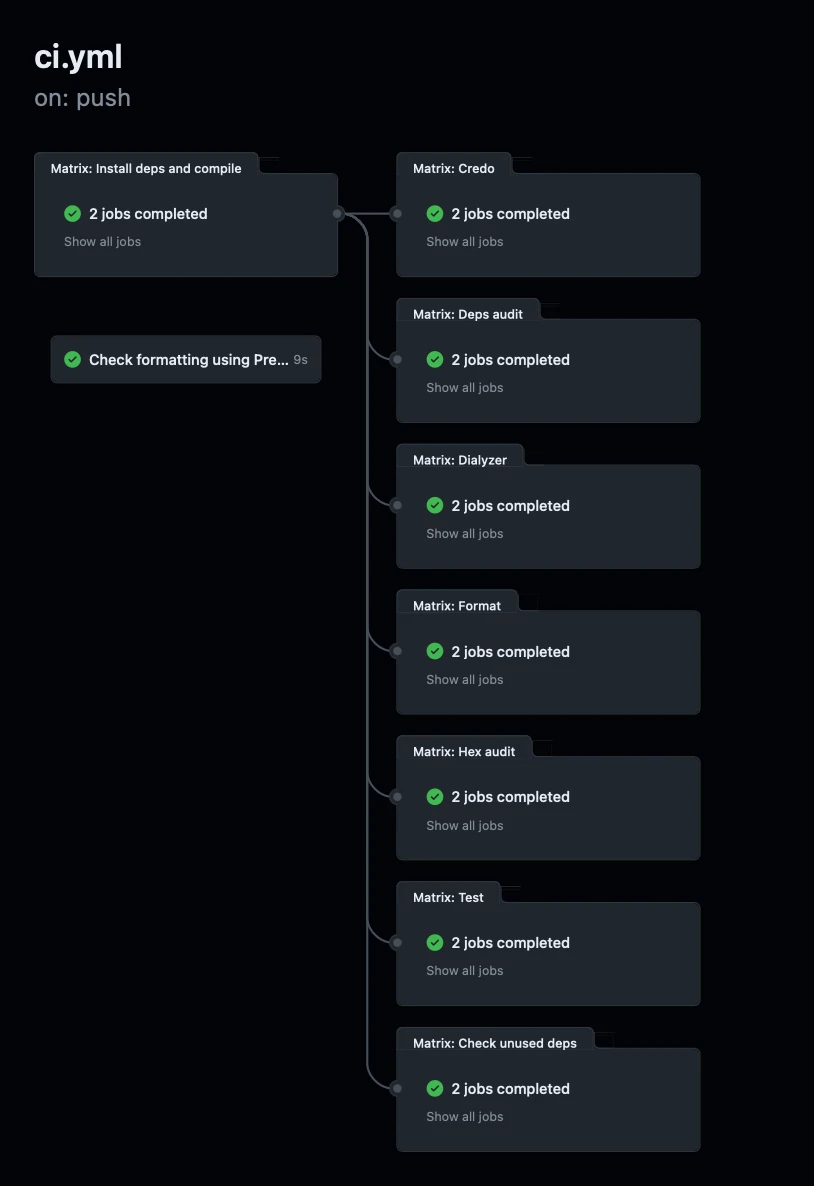
That creates a YAML file I wouldn't want to look at, much less maintain it, but enables us to have this CI pipeline
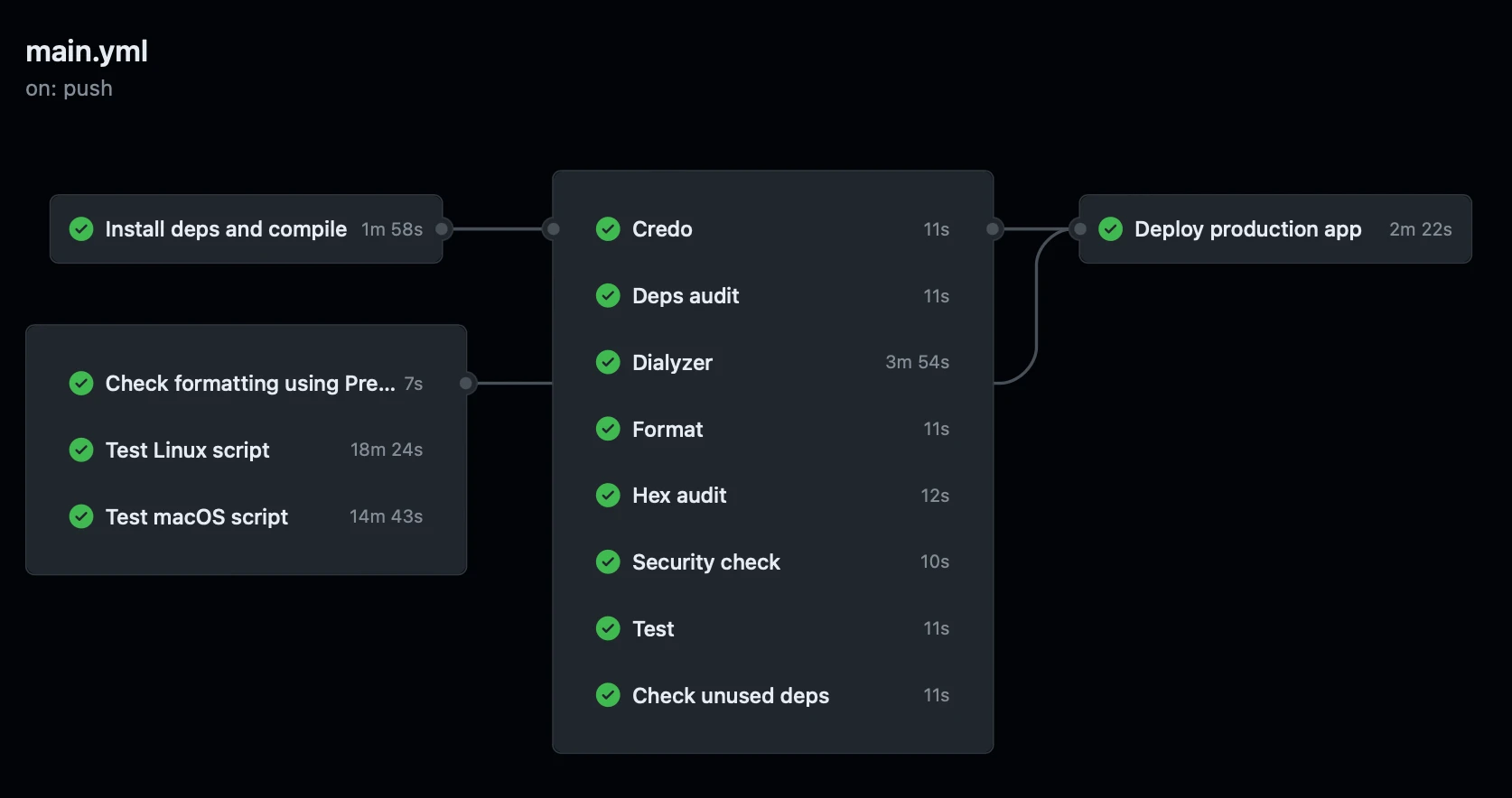
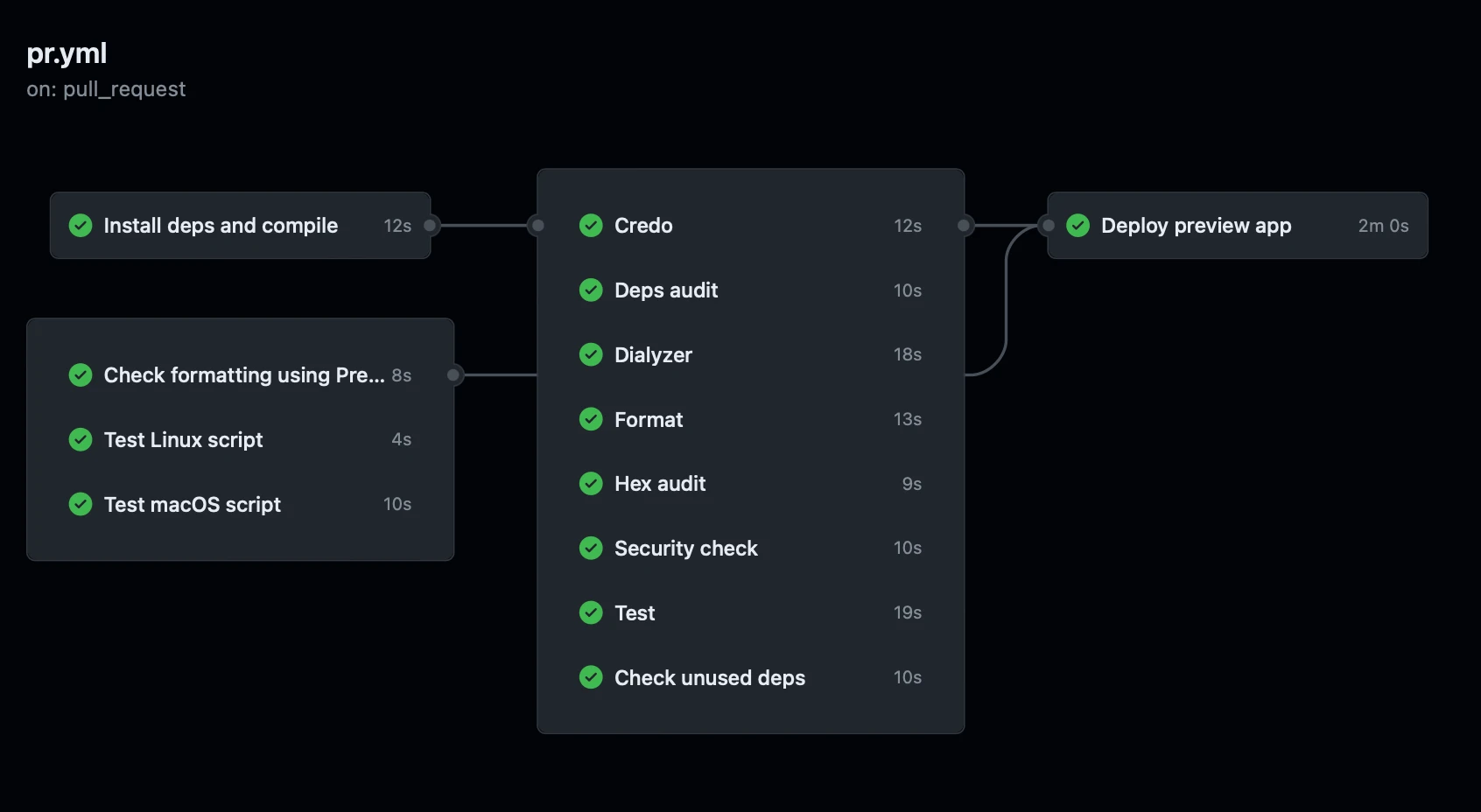
Our phx.tools project has an even better example with 3 different workflows.

Let's step back to see how the script works.
The only rule that we enforce is that the source file must contain a GithubWorkflows module with a get/0 function that returns a map of workflows in which keys are filenames and values are workflow definitions.
[elixir]defmodule GithubWorkflows do
  def get do
    %{
      "ci.yml" => [[
        name: "Main",
        on: [
          push: []
        ],
        jobs: []
      ]]
    }
  end
end
Everything else is up to you.
You might also want to read the documentation or check out the source code.
Elixir DevOps series
In our workflows, you may notice some new ideas not seen elsewhere, so be sure to look out for more posts on our blog in a new series where we'll unpack our unique DevOps practices. If you have any questions, you can contact us at [email protected].
If our approach to software development resonates with you and you're ready to kickstart your project, drop us an email at [email protected]. Share your project requirements and budget, and we'll promptly conduct a review. We'll then schedule a call to dive deeper into your needs. Let's bring your vision to life!
This was the first post from our Elixir DevOps series.